How to Redeem Undertale Battlez Codes
Exact menu path, case rules, and fixes for expired, used, or buggy redemptions.
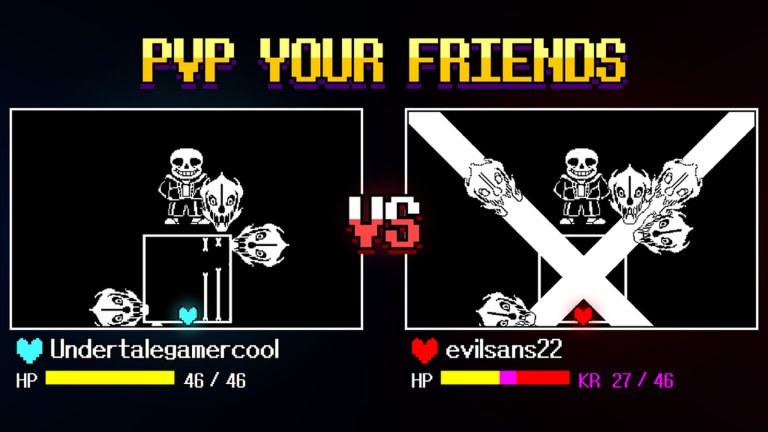
Redeeming promo codes in Undertale Battlez takes under a minute once you know the menu path — but BETA UI quirks, case sensitivity, and one-time claim rules trip up a lot of players. This guide walks through the official in-game flow, lists every common failure message, and explains when Bluw’s Studio usually drops new strings. Pair it with the live list on the Codes Hub.
Undertale Battlez is a Roblox Action / Battlegrounds fan game (place 79493991899413) featuring training, Undertale-inspired bosses, custom bosses, PvP, and skins. Currencies from codes are Gold and D$. The game has been in BETA since roughly 30 September 2026 and is not affiliated with Toby Fox.
Before you start
- Update Roblox so you are not on a stale client cache.
- Join the live place from the official Roblox page (avoid private copies or renamed clones).
- Have the current codes ready from the Codes Hub — as of November 2026 that means
K200VISITS,FAV6K, andTHANKSFOR600CCU. - Prefer redeeming on the account you will actually play; rewards do not transfer.
Optional: watch the embedded video above for a visual of the codes flow alongside limbo / boss content. The on-page steps below remain the source of truth if the UI shifts slightly after a patch.
Step-by-step redemption
1. Reach the main menu
Load into Undertale Battlez and wait until the main menu is fully interactive. If you spawn mid-match or in a training lobby, open the pause / menu affordance the game exposes (same control you use to leave a fight) until you see the primary hub buttons. Codes are not entered from the Roblox website chat — only from this in-game panel.
2. Open CODES
Tap or click the CODES button on the main menu. BETA layouts sometimes shuffle button order after updates; look for the literal label rather than memorizing a corner of the screen. If you do not see CODES, rejoin the server once — UI assets occasionally fail to load on first join during busy CCU spikes.
3. Choose TYPE A CODE
Inside the codes panel, select TYPE A CODE. This opens the text field. Do not confuse it with any “view rewards” or history tab if one exists; you need the input box.
4. Enter the code carefully
Paste or type the string exactly as published:
K200VISITS→ 250 Gold + 3 D$FAV6K→ 250 Gold + 10 D$THANKSFOR600CCU→ 1,000 Gold + 3 D$
Codes are case sensitive. fav6k or ThanksFor600Ccu will usually fail even though a human reader sees the same letters. Avoid trailing spaces when pasting from chat apps.
5. Press REDEEM and confirm
Hit REDEEM and wait for the success toast or reward popup. Check your Gold and D$ counters before spending anything else so you know the grant landed. Then redeem the next code. Order does not matter for stacking, but redeeming the large Gold code first (THANKSFOR600CCU) makes early shop decisions easier.
Troubleshooting
Wrong case / invalid code
Symptom: Message about invalid or incorrect code while the hub still lists it as active.
Fix: Recopy from the Codes Hub. Disable auto-capitalize on mobile keyboards. Do not insert spaces. If you typed from memory, compare character by character — THANKSFOR600CCU is easy to mistype as THANKSFOR600CC or with an extra zero.
Expired code
Symptom: Explicit expired response, or a formerly working code fails for every account.
Fix: Remove it from your personal list. Milestone codes (K200VISITS, favorites, CCU thank-yous) are campaign tools — they retire when the milestone window ends. Watch Updates for replacements instead of retrying for hours.
Already used
Symptom: Already redeemed / already claimed on this account.
Fix: That is expected. Each code is typically once per Roblox account. Alts can claim again if the code is still globally active, but your main will not. Check inventory and currency — you may have redeemed earlier and forgotten.
No response / button does nothing
Symptom: REDEEM click with silence, frozen panel, or blank field after submit.
Fix: Common BETA bugs. Rejoin the server, wait for full asset load, and try again. Avoid spamming REDEEM (double submits can look like failures). If the whole menu is unresponsive, leave to Roblox home and relaunch the place. Still broken after two rejoins? Check group or Discord chatter — sometimes a hot patch temporarily bricks the codes UI for everyone.
Rewards missing from HUD
Symptom: Success toast appeared but Gold / D$ did not move.
Fix: Soft rejoin. Currency replication can lag under load. If the toast was a false positive (rare), try the code once more; an already-used message then confirms the grant already applied server-side.
Playing on a clone place
Symptom: Codes panel missing or always invalid.
Fix: Confirm the experience name and creator match Bluw’s Studio / the official place ID. Fan copies and “untitled” mirrors will not honor official codes.
When new codes usually drop
Expect new strings around:
- Visit milestones (hundreds of thousands or millions)
- Favorites milestones (for example the 6K-style
FAV6Kpattern) - Concurrent-player celebrations (
THANKSFOR600CCU-style) - Major BETA version releases (see Updates Hub)
- Community thank-you moments after big content drops (new boss, limbo fight, skin wave)
Developers often announce codes in the same post as patch notes. We verify working status before adding them to the Codes Hub. Do not trust random image macros in chat that ask you to visit off-platform “redeem bots” — those are phishing.
What to do with the rewards
Spend thoughtfully:
- Finish or skim Getting Started so you know which upgrades matter on day one.
- Use Gold for training throughput and core combat power before cosmetics.
- Save D$ for higher-value skins or attack skins you actually enjoy —
FAV6Kis the best free D$ injection on the current list. - Sustain income afterward with Gold Farming instead of waiting weeks for the next code.
- Check the Tier List before dumping currency into a weak early pick.
Codes accelerate progression; boss pattern knowledge still wins fights. If a video showcase makes a limbo or Sans-style encounter look trivial, remember the creator may already have spent codes plus hours of practice.
Safety notes
- Never give your password to a “code redeem service.”
- Never run a random executor just to claim a code — the built-in menu is enough. Read Executor Safety if someone pressures you otherwise.
- This wiki will not host malware loaders or fake redeem pages.
Related pages
- Codes Hub — active list and reward table
- Getting Started — first-hour plan
- Gold Farming — post-code economy
- Updates — patch and milestone timing
- Scripts Hub — automation status and risks
- Tier List — spend priorities
Frequently Asked Questions
Quick answers about codes, bosses, PvP, and progression.
What is the exact menu path to redeem a code?
Main menu → CODES → TYPE A CODE → enter the string → REDEEM. Codes are not entered through Roblox website chat.
Why does my code say invalid when the wiki lists it?
Most often wrong letter case, a trailing space, a typo, or you are on a clone place. Recopy from the Codes Hub and confirm you are in the official Bluw's Studio experience.
What does already used mean?
That Roblox account already claimed the code. Claims are typically once per account even if the code is still active worldwide.
The REDEEM button does nothing — is the game broken?
Often a BETA UI desync. Rejoin, wait for full load, and try once more. If many players report the same issue, wait for a hot patch and watch the Updates hub.
When should I check for new codes?
After visit, favorites, or CCU milestones and after major BETA version posts. We update the Codes Hub when strings are verified.
Can an executor redeem codes for me faster?
You do not need one. Manual redeem is seconds long. Executors risk bans and malware; see the Scripts Hub and Executor Safety pages.