Undertale Battlez Tools Hub
Offline-friendly checklists and planners — sharpen sessions without shady executors.
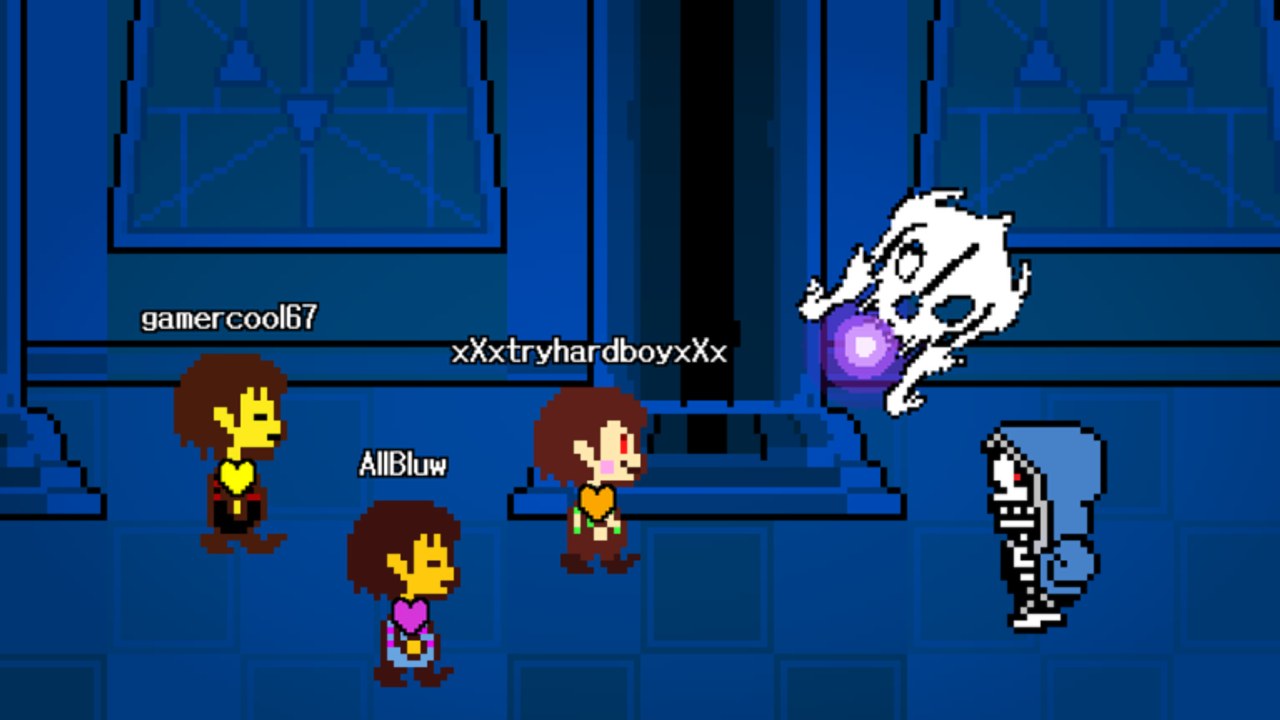
The Tools Hub collects practical helpers for Undertale Battlez players who want cleaner sessions in a moving Roblox BETA. Nothing here injects into the client. These are mindsets, checklists, and planners you can run in a notes app, paper notebook, or head while you play Bluw’s Studio’s fighting loop: train, fight bosses, unlock skins, build customs, and queue PvP for Gold and D$.
If you arrived looking for auto-farm executors, read the honesty policy on the Scripts Hub first. This hub exists so you progress faster without risking the account that holds your redeemed rewards.
Undertale Battlez is unofficial and not affiliated with Toby Fox. Place 79493991899413 / universe 10768728500.
Featured tools
- Progression Checklist — day-one and weekly loops covering codes, boss training targets, tier-list reviews, and update re-checks.
More lightweight planners can join this hub later. Until then, treat the ideas below as portable templates you can copy offline.
Code checklist mindset
Codes are the highest ROI “tool” in the game, and they cost only attention. Build a tiny ritual:
- Before every session, open the Codes Hub on your phone or second monitor.
- Join the live place and tap CODES → TYPE A CODE → REDEEM.
- Tick each active string (
K200VISITS,FAV6K,THANKSFOR600CCUwhile they last). - Note failures: already used vs expired vs typo.
- Only then open the shop.
Deep UI help: How to Redeem Codes. Never paste codes into random websites that ask you to log in.
Training session planner (copy/paste template)
Write three lines before you queue:
- Warm-up boss — one easy clear for movement (see learning order on the Boss Tier List).
- Focus boss — one mid-ladder pattern you want cleaner; set a numeric goal (two clears, or one clear with no panic dash).
- Optional stretch — one harder attempt, capped at three wipes before you stop.
Time-box the block (25–40 minutes). BETA shutdowns hurt less when the plan is short. Execution habits live in Boss Fights; economy sustain lives in Gold Farming.
Example night:
- Redeem codes (5 minutes).
- Warm-up clear (5 minutes).
- Two B-tier farming clears (15 minutes).
- One A-tier teacher attempt (10 minutes).
- Review whether a skin purchase still makes sense (Skins Tier List).
Progression checklist ideas you can run offline
Use the full Progression Checklist for a structured day-one / weekly sheet. The short version:
Day-one
- Favorite the official experience and join from the real Roblox link (Links Hub).
- Redeem all active codes.
- Finish the orientation steps in Getting Started.
- Clear one soft boss and one mid boss.
- Skim Tier List Hub so spends have criteria.
Weekly
- Re-check Updates and any version page such as V1.30.
- Re-redeem or verify codes still active.
- Train at least three distinct boss patterns.
- Revisit skins only after farming notes.
- One calm PvP set if fundamentals feel stable (PvP guide).
What good tools are not
- Not hitbox expanders, ESP, or infinite currency injectors.
- Not fake “claim limited” browser apps.
- Not account-sharing macros.
- Not substitutes for reading patch context when the UI moves.
When a YouTube description promises a tool that teleports unlocks, compare it with Scripts warnings and walk away if it needs an executor.
How this hub links to the rest of the wiki
Tools tell you what to do in order. Guides teach how. Tier lists explain what to prioritize. Updates tell you when to re-verify. Codes feed the budget. Keep those roles straight and your notes stay short.
Recommended first loop for returning players:
- Codes
- Progression Checklist
- Getting Started or Gold Farming depending on account age
- Tier List
- Updates
Keep tools light during BETA
If a patch renames a menu, edit one line in your checklist instead of rewriting your whole identity. The best Undertale Battlez tool is a boring habit you can repeat after every Massive Update: redeem, warm up, focus farm, stretch once, review spends, stop on time.
Open the Progression Checklist when you want the long-form sheet, and return here when you need the planner mindset without the noise of a full guide.
Frequently Asked Questions
Quick answers about codes, bosses, PvP, and progression.
Does this Tools Hub include Roblox scripts?
No. These are checklists and planners you run offline or beside the game. For executor risk context, see the Scripts Hub.
What tool should I use first?
Redeem codes with the code checklist mindset, then follow the Progression Checklist for day-one and weekly loops.
Can I use these planners on mobile?
Yes. Copy the templates into any notes app. The value is the order of operations, not a special device.
How do tools relate to tier lists?
Tier lists decide priorities. Tools schedule when you practice those priorities and when you revisit them after patches.
Should I still read Getting Started if I use the checklist?
Yes on a new account. The checklist tracks habits; Getting Started explains menus, currencies, and first fights.
Are these tools official Bluw's Studio products?
No. They are fan wiki helpers for the unofficial Roblox BETA and are not affiliated with Toby Fox.