Undertale Battlez Updates Hub
Version context, codes windows, and BETA expectations — so you re-test the right systems after each deploy.
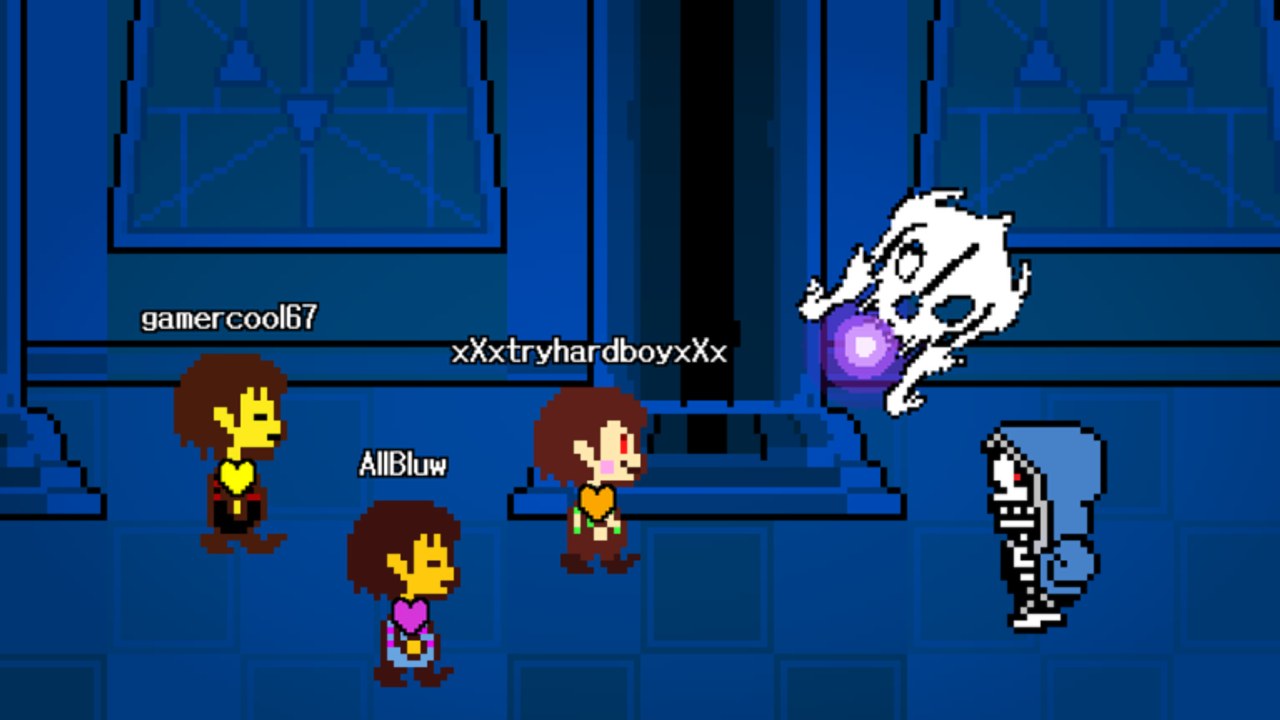
The Updates Hub is the changelog map for Undertale Battlez on Roblox. Bluw’s Studio ships the experience as an explicit BETA fighting sim: train, fight Undertale-inspired bosses, build custom bosses, unlock skins and attack skins, and queue PvP while systems are still moving. When a thumbnail flips to Massive Update language or a creator posts a version showcase, start here before you invent a new grind theory from a thirty-second clip.
This wiki is unofficial and not affiliated with Toby Fox. Place id 79493991899413, universe id 10768728500. Patch pages summarize what public showcases and in-game surfaces let us verify — they are not studio press releases.
Featured version pages
- V1.30 Release — community context from the public V1.30 showcase video, plus a practical re-check list for codes, bosses, and UI after you update.
- November 2026 Milestones — visit, favorites, and CCU thank-you codes (
K200VISITS,FAV6K,THANKSFOR600CCU) re-verified mid-November 2026, with redeem order and post-claim habits.
More version files will land under this hub as Bluw’s Studio keeps iterating. If your client string is newer than the pages listed, still use the habits below until a dedicated note exists.
What “BETA” should mean for your sessions
Calling the game BETA is operational guidance, not flavor text:
- Servers can shut down mid-fight while a build deploys. Plan shorter blocks with a written goal instead of one fragile three-hour session.
- Balance and telegraphs move. A boss that felt free yesterday can punish old muscle memory tomorrow. Re-open the Boss Tier List after major bumps.
- Shops and unlock routes shift. Skin prices, attack-skin labels, and showcase paths (including Limbo Sans style unlocks) can change without a long essay in the Roblox description.
- Codes are campaign-shaped. Visit, favorites, and CCU thank-you strings appear, then expire. Track them on the Codes Hub, not in a fading Discord screenshot.
- Scripts break or become riskier. Prefer legitimate progress paths; read Scripts before you chase injectors that target old remotes.
Studio-facing expectations and how to follow announcements without fake staff links live under Bluw’s Studio and the Links Hub.
Codes cadence — how updates and free Gold connect
Milestone codes often ship in the same social window as a version celebration. After any patch:
- Join the live place from the official Roblox page.
- Open CODES and redeem anything new or still active (
K200VISITS,FAV6K,THANKSFOR600CCUas of the current hub list). - Confirm rewards before you spend — BETA toasts can be easy to miss in a busy UI.
- Only then plan shop purchases with the Skins Tier List and Gold Farming.
If a code fails for everyone after a deploy, assume retirement or a typo wave; we remove dead strings from the Codes Hub rather than leaving bait online. Deep redemption troubleshooting sits on How to Redeem Codes.
What to re-check after every patch
Use this checklist whether or not a dedicated version page exists yet:
- Client & place — You are on the real Undertale Battlez experience, not a clone.
- UI paths — Codes button, shop, training entry, and custom boss flow still match your muscle memory.
- Boss feel — One warm-up clear, one mid-ladder clear; note telegraph changes.
- Economy — Gold/D$ sinks and skin labels; avoid instant dumps until you understand new prices.
- PvP rules of thumb — If hit timing changed, postpone ranked-ego sets until you complete the PvP warm-up mindset.
- Tier lists — Skim Tier List Hub so yesterday’s S-tier claim does not drive today’s budget.
- Tools — Run the progression checklist so day-one and weekly habits stay aligned with the new build.
The V1.30 page expands this list with showcase-specific context and an embedded public video.
How to use this hub with the rest of the wiki
- New to the game? Finish Getting Started, then bookmark Updates.
- Chasing a showcase unlock? Pair version notes with Limbo Sans and codes.
- Building fights for friends? Re-test customs after patches via Custom Bosses.
- Comparing strength claims? Bring patch date context into any tier list argument.
What we will not do on update pages
We will not invent patch bullet lists that never appeared publicly. We will not promise exact drop rates Bluw’s Studio did not publish. We will not mirror unpaid malware “update bypass” scripts. When information is thin, we say so and point you to the Roblox group and game page through the Links Hub.
Stay oriented between versions
Between major numbers, small hotfixes still matter: a codes UI tweak or boss collider fix can invalidate a guide paragraph. If something feels wrong, check Updates first, then the matching guide, then ask whether your client restarted after the deploy. BETA favor goes to players who re-verify — not to players who grind the same broken route for an hour.
Bookmark this hub, open V1.30 when that string still matches community conversation, and keep Codes one click away whenever a milestone celebration lands.
Frequently Asked Questions
Quick answers about codes, bosses, PvP, and progression.
Where are Undertale Battlez patch notes?
Start on this Updates Hub, then open version pages like V1.30. Also watch the official Roblox game page and Bluw's Studio group for primary announcements.
What should I do right after a Massive Update?
Redeem codes, re-learn UI paths, warm up on an easy boss, retest one mid boss, then revisit tier lists before big spends or PvP ego sets.
Do codes always drop with updates?
Not always, but milestone codes often appear in the same window as version celebrations. Check the Codes Hub after every deploy.
Is Undertale Battlez still in BETA?
Yes. Expect bugs, shutdowns, unfinished systems, and frequent balance or UI changes while Bluw's Studio iterates.
Is this updates coverage official?
No. This wiki is a fan resource and is not affiliated with Bluw's Studio or Toby Fox. We summarize what public sources support.
Which version page should I read first?
Open V1.30 for the documented showcase context, then return here whenever a newer client string appears without its own page yet.